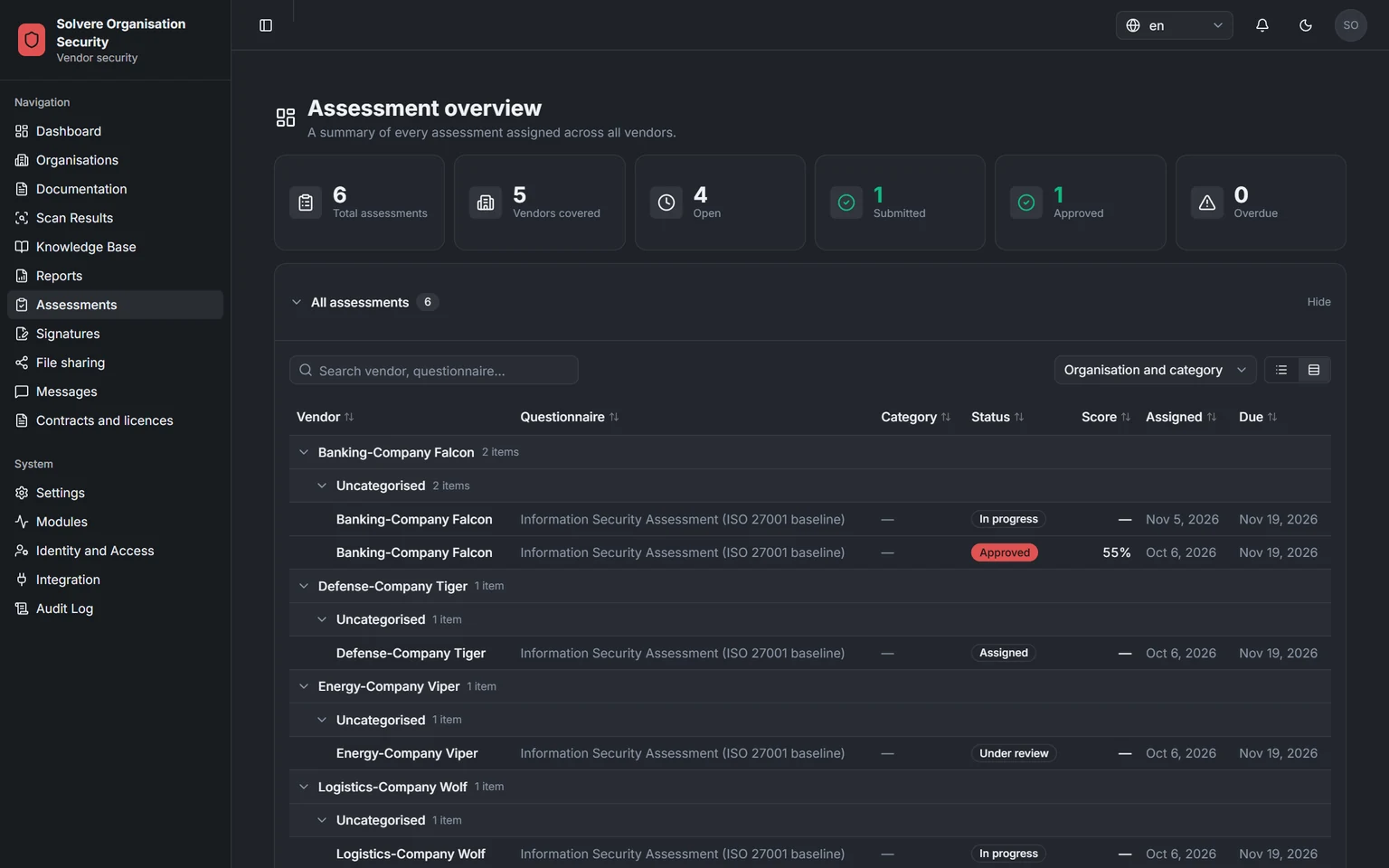
Every assessment in your view
Forms, send-outs and status per supplier, in one list.
Screenshots from a demo environment with made-up suppliers.
Send questionnaires to the supplier or any other organisation you want to assess. They answer and attach evidence in the vendor portal. You review and decide. Decisions and agreements can be signed by both parties, with BankID when it matters.
The supplier answers in the vendor portal, and you review and decide in the platform. Finally both parties can sign the decision, which is then sealed.
Pick a ready-made template or your own form and send it to the supplier. The form appears in the portal, and the people who are to answer get a notification.
The supplier answers section by section. Extra questions only appear when an answer calls for them, and certificates and reports in the supplier's evidence library can be attached straight away. An authorised person at the supplier confirms that the answers are correct.
You see answers, evidence and how much each question counts towards the result, all in one place. If you have questions, you send a message straight to the person who answered.
AI reads the answers and shows, section by section, where they fall short of the requirements. You always make the decision, and the AI's result is only used once you have approved it. By default the answers are processed in Solvere's AI service at Microsoft within the EU, with names, personal identity numbers and email addresses hidden. Where and how the AI runs can be adapted to your requirements.
Both parties see the decision straight away. You can decide how long an approval lasts and get a reminder before it runs out.
Both parties can sign decisions and agreements right in the platform. On your side, the person who is to sign finds the signing under Tasks and can sign straight from there. The document is sealed, so any later change would show. For important documents you can choose BankID.
The documents are laid out, the answers fill in, both parties sign and the seal is pressed on. Scroll through the steps, or click one.
Ready-made questionnaires in four levels are included and in place from the start. The questions are linked to the requirements in the 12 frameworks below.
From a basic level to an in-depth review. Pick the level by how important the supplier is to you.
Every template can be saved as a Word document, so you can go through and agree the content internally before you send it.
Being introducedThe AI evaluation applies to every published form, your own as well as Solvere's templates.
Decisions and agreements can be signed by both parties right in the platform. Anyone who then receives the document can check for themselves that it is genuine and unchanged, without logging in.
The vendor portal is part of every customer's core platform, with shared files, messages, a notification inbox and My tasks. With Vendor assessment, the supplier can also answer forms, keep evidence and confirm its answers there.
Folders where every version is kept and files are stored encrypted. Access is given per person, on both sides.
Conversations between your case handler and the supplier's contact person. If someone is away, it shows, and the case can be handed to a colleague.
Certificates and reports are uploaded once and used again in the next assessment.
A notification when an assessment is sent, an answer comes in, something needs signing or a message arrives. It goes to those with permission for the matter.
Your view and the supplier's portal in the same flow. Choose assessment or signing and browse.
Forms, send-outs and status per supplier, in one list.
Screenshots from a demo environment with made-up suppliers.
In 30 minutes we show how you send questions to a supplier, review the answers and sign the decision. Then we work out a price that fits you.